Why CRAS Upgraded to Symphony I/O MK II
When an audio school runs studios all day, every day, gear doesn’t just need to sound good , it needs to survive real-world pressure.
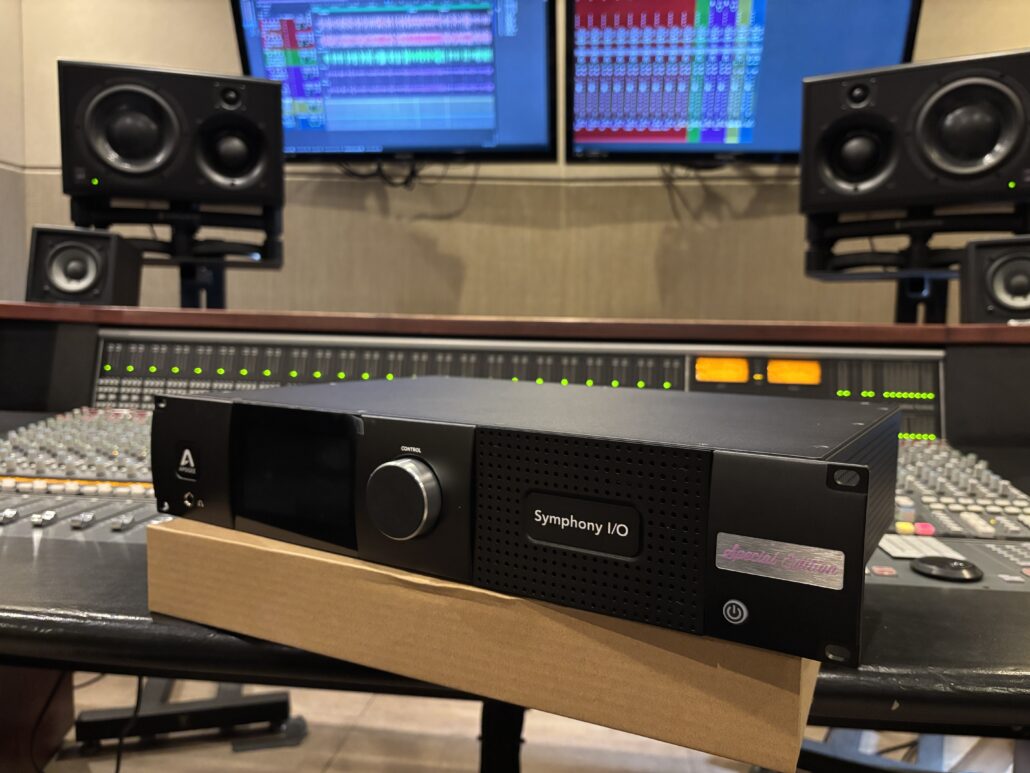
That’s exactly the situation at CRAS (Conservatory of Recording Arts & Sciences), where students move through demanding studio schedules designed to mirror professional environments. After more than two decades with their original Apogee systems, the school recently upgraded its Studio A rooms from legacy Rosetta 800 converters and Big Ben clocks to Apogee Symphony I/O Mk II systems.
The upgrade came after years of daily use, changing studio workflows, and the reality that even dependable systems eventually age out in demanding environments.
Inside a Studio Environment That Never Stops Moving
For over 20 years, CRAS instructor and engineer Tony Nunes has helped maintain the school’s studios while teaching students the realities of professional audio work.
“I’m a freelance audio engineer and instructor. At CRAS, I’m an instructor, maintain studio workstations (software/hardware), help develop curriculum and some manufacture relations. I’ve been here over 20 years.”
That longevity matters because CRAS isn’t a lightly used demo facility. The rooms are in constant rotation.
“The studios and calendar are very demanding of students, staff and gear,” Tony says. “We have students in the rooms all day, every day.”
That kind of environment exposes weaknesses quickly. If something fails, classes slow down. Sessions get interrupted. Instructors end up troubleshooting instead of teaching.
“If systems fail, classes can get delayed or we spend time troubleshooting. We turn that into a valuable real-world learning experience.”
Eventually, the balance between teaching through problems and constantly dealing with aging hardware started to shift.
A 23-Year Run From the Original Rosetta Systems
When Reliability Starts Affecting Class Time
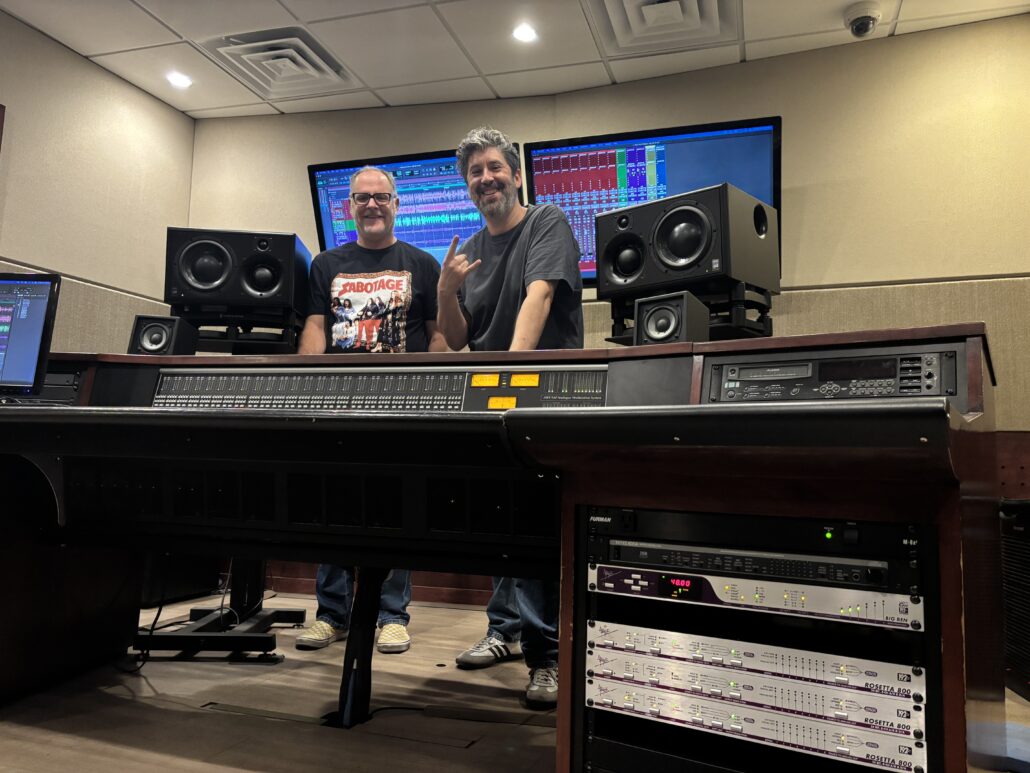
Long before modern immersive workflows, Dante networking, or Thunderbolt connectivity became common in studios, CRAS installed Apogee Rosetta 800 converters and Big Ben clocking systems into Studio F.
The remarkable part? They stayed in service for more than two decades.
“Having gear last over 20 years is rare in our taxing environment,” Tony says. “We can chalk that up to using excellent components and being well-built.”
For many engineers, the Rosetta systems were part of the era when digital recording setups started becoming common in serious commercial studios.
But eventually, even dependable systems age out.
“After 23 years, the old Rosetta 800s starting to show a bit of their age, started falling out of sync and some of the switches became intermittent. We also had a power supply go bad.”
[Insert visual: legacy Apogee Rosetta 800 converters installed in CRAS Studio F rack]
For an educational facility, reliability isn’t just convenience , it directly affects students’ learning time.
“We finally reached a point where reliability and downtime were affecting classes.”
Why Schools Are Rethinking Studio Infrastructure
Balancing Vintage Character With Modern Reliability
Recording schools have to balance two very different realities.
Students still need exposure to vintage workflows, analog thinking, and classic studio practices. But they also need experience with the systems they’ll actually encounter when they step into modern commercial environments.
Tony puts it simply:
“There is definitely a place for vintage gear in studios, but certain elements like workstations must be reliable and up to date.”
For Tony, those are two separate conversations.
Vintage gear still has value in education and recording environments. But infrastructure systems like conversion, synchronization, and routing need to work consistently enough that students can focus on recording and mixing instead of troubleshooting.
“Using older systems can contribute to losing time with compatibility issues and falling behind in industry advancements.”
For schools especially, downtime affects more than a single session.
Every interruption compounds across classes, instructors, and students trying to maximize limited studio hours.
Why CRAS Chose Symphony I/O Mk II
Connectivity and Scalability for Modern Studios
When it came time to upgrade, CRAS already had a long history with Apogee systems. That familiarity mattered, but it wasn’t the only factor.
“We had such good success with our previous Apogees that we wanted to continue with the brand,” Tony says.
The decision ultimately came down to three priorities:
* Reliability
* Sound quality
* Ease of use for students
The Symphony I/O Mk II checked all three boxes while also fitting naturally into the school’s existing and future workflows.
“It fits perfectly into our studios with 24 analog I/O, digital I/O, Avid’s Digilink, Dante and Thunderbolt connections. This all adds to scalability and long-term support.”
The flexibility also matters in an education environment where rooms may move between tracking sessions, mixing classes, and technical instruction throughout the same day.
The Difference Students Notice Immediately
How Better Conversion Affects Critical Listening
One of the biggest misconceptions about converter upgrades is that students won’t notice the difference.
At CRAS, they did.
“The higher-quality conversion helps students hear detail much more clearly, which improves their critical listening and decision-making during tracking and mixing.”
For instructors, that kind of detail matters because students are constantly developing their listening skills while learning how to track and mix.
The other immediate impact was operational.
“The biggest improvement has been much greater reliability and less downtime in the studios.”
It also means less class time gets lost to troubleshooting and system recovery.
“Students and instructors now spend more time learning instead of troubleshooting.”
Preparing Students for Professional Studios
Building Familiarity With Professional Workflows
Studio workflows have changed significantly since the original Rosetta systems were first installed. Students now enter studios that involve hybrid setups, networked audio systems, and a wider range of digital workflows than they would have encountered 20 years ago.
“Training on current professional gear gives students more confidence when they enter the industry,” Tony says.
For students entering professional studios after graduation, familiarity with modern routing and studio systems can make the transition into commercial environments feel much more natural.
The Real Cost of Waiting Too Long
Reliability Versus Short-Term Savings
For schools, upgrading infrastructure is never a small decision.
Budgets matter. Long-term planning matters. Nobody wants to replace systems prematurely.
But Eric believes there’s a tipping point where holding onto aging systems starts costing more than upgrading them.
“You have to weigh the upfront cost against long-term reliability and educational value,” he says.
His advice to other schools is practical:
“Upgrade before your old systems start causing disruptions to classes and you can’t utilize new workflows.”
For CRAS, the decision ultimately came down to reliability, uptime, and making sure students could work on systems that reflected current professional workflows.
Why This Upgrade Means More Than New Hardware
Keeping Students Focused on Learning
The story behind the CRAS upgrade is less about replacing old gear and more about how recording schools manage technology over long periods of time. Systems that stay in service for decades eventually have to balance nostalgia, maintenance, compatibility, and the practical realities of running busy studios every day.
For Tony, that’s ultimately the most rewarding part.
“Seeing students work on modern, high-quality gear that prepares them for employment using the same systems.”